

What are roles?
A role represents a function or permission level assigned to a user in an ATS. Roles control what users can see, edit, and manage — both globally and within the context of a specific job. Here are typical roles you’ll encounter:- Admin — Full system access, can configure settings and manage all users
- Recruiter — Manages candidate pipelines and coordinates the hiring process
- Hiring Manager — Oversees hiring for specific positions, reviews and approves candidates
remote_label field.
Additionally, Kombo tries to categorize the role. For example, the role of “Administrator” is categorized as unified_type: "ADMIN".
There are some cases, where the unified_type can be null, for example: Some built-in roles (e.g., “Onboarding Owner”) simply don’t have a corresponding unified type (yet). Or the customer has defined custom roles in their ATS (e.g., “Hiring Wizard”).
Job roles vs system roles
ATS systems typically assign roles at two levels:
A single user can have both: they might be an Admin system-wide and a Hiring Manager for a specific job.
ATS systems
How roles work varies across ATS platforms. Here are the common approaches:- Predefined roles: The ATS provides a fixed set of roles (e.g., Admin, Recruiter, Hiring Manager) that cannot be customized. These map cleanly to Kombo’s unified types.
-
Customizable roles: The ATS allows creating custom roles with granular permissions. Kombo syncs all roles. Well-known ones are categorized with a
unified_type. Custom roles are passed through withunified_type: nulland the original label inremote_label. -
Implicit roles: Some ATS don’t have an explicit roles system. Instead, adding someone as a “Hiring Manager” on a job implicitly assigns them that role. Kombo still normalizes this into the same
job_rolesstructure.
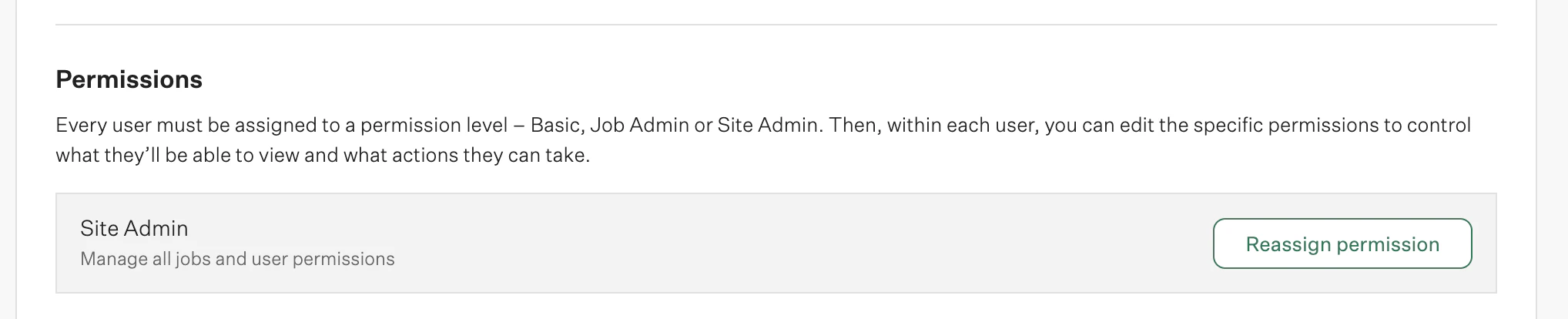
Greenhouse introduces three system roles: Basic, Job Admin and Site Admin
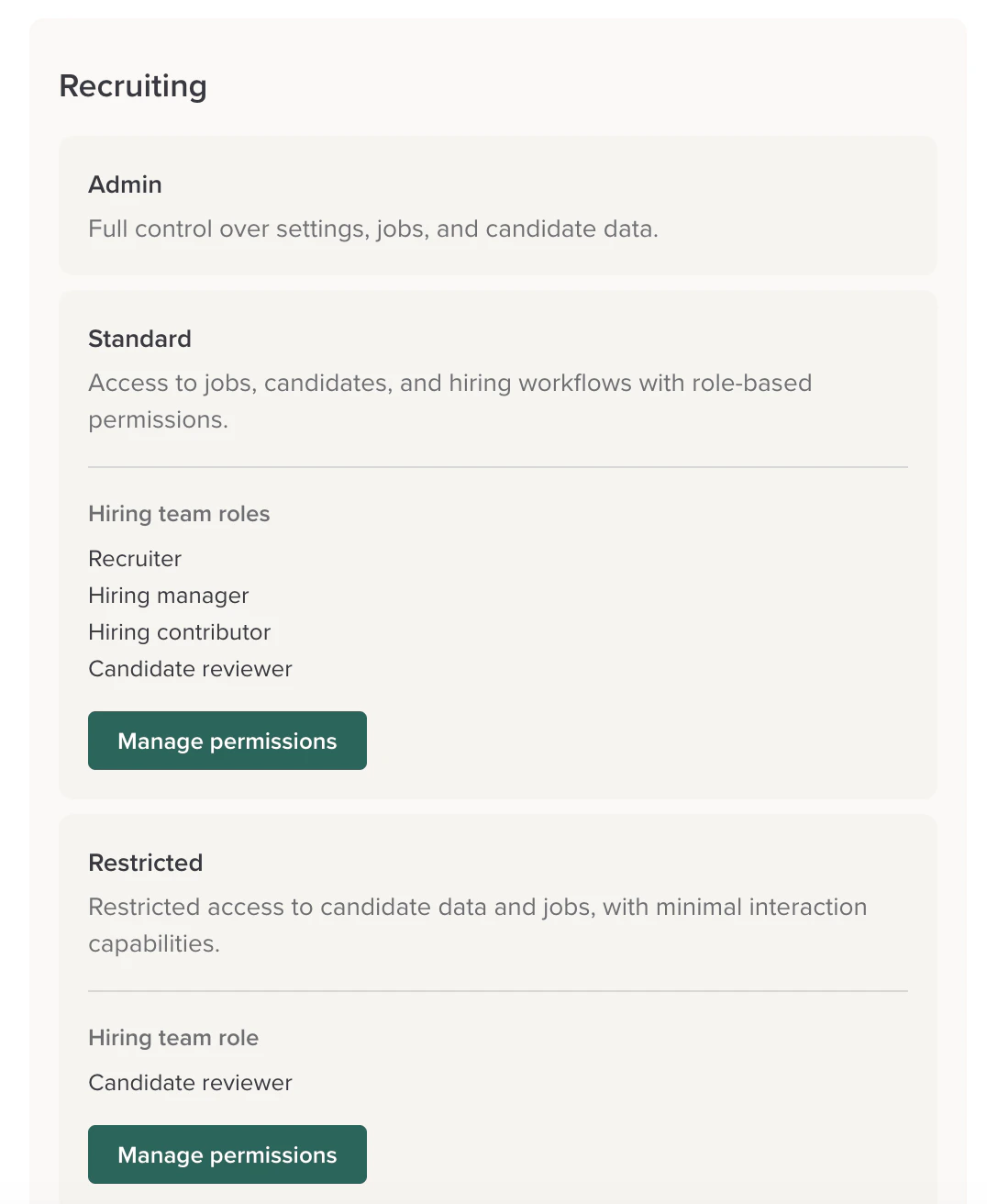
Workable has more flexible setup, combining system roles and job roles
Setup
Scopes
The Roles scope is disabled by default. To start syncing roles, enable it in your scope configuration. You also need the Users scope to be enabled, since all roles are connected to users.
Enable Roles in scope
Roles endpoint
Use theGET /ats/roles endpoint to list all roles defined in the connected ATS. You can filter by scope to get only system-level or job-level roles.
Above, you see that this customer has one role on the system level (“Admin”)
and two on the job level (“Recruiter”, “Hiring Wizard”).The role of “Admin” and “Recruiter” are categorized in the
unified_type of
ADMIN and RECRUITER.However Kombo does not know how to categorize the “Hiring Wizard” role, so the
unified_type is null.Job roles
When reading jobs, each hiring team member includes ajob_roles array showing what roles they have for that specific job.
System roles
When reading users, each user includes asystem_roles array showing their platform-wide roles.
FAQ
How do I check if a user is an admin?
Look at thesystem_roles array on the user object from /ats/users. If any role has unified_type set to "ADMIN", the user has admin-level access.
Can a user have multiple roles?
Yes. A user can have multiple system roles and multiple job roles on different jobs. For example, someone could be both an Admin and a Manager system-wide and a Hiring Manager on a specific job.What if a role doesn’t have a unified_type?
This means the role is custom or doesn’t map to one of Kombo’s unified types. Use the remote_label field to identify what the role is.