

Overview
When you are already a partner with some of the tools that we are integrating, Kombo allows you to bring your own credentials and settings to get the most out of the partnership. Partner credentials and options can, for example, be the OAuth master-level credentials that are used to issue access tokens and initialize OAuth flows. That will allow you to show your logo and name in the OAuth flow instead of Kombo’s. For most integrations, Kombo provides a set of default credentials and settings so that you don’t need to get a partnership with every tool you want to integrate. However, if you have your own partnership, you can configure custom partner credentials that work in a revision system, allowing you to manage multiple credential sets and safely update them without breaking existing integrations.Understanding Credential Revisions
Partner credentials work in a revision system. Each time you create or update credentials, a new revision is created with a label you can assign (e.g., “Production credentials” or “Staging credentials”).How Revisions Work
The revision system ensures that credential changes are safe and non-destructive:- New integrations: When you create a new integration, it automatically uses the latest revision (the most recently created one).
- Reconnecting integrations: When you reconnect an existing integration, it automatically upgrades to use the latest revision.
- Existing integrations: Existing integrations continue using their assigned revision and are not automatically migrated when you create a new revision. This ensures that creating new credentials doesn’t break existing integrations.
Managing Credentials and Revisions
You can manage partner credentials and revisions on the tool settings page for all tools that support this feature.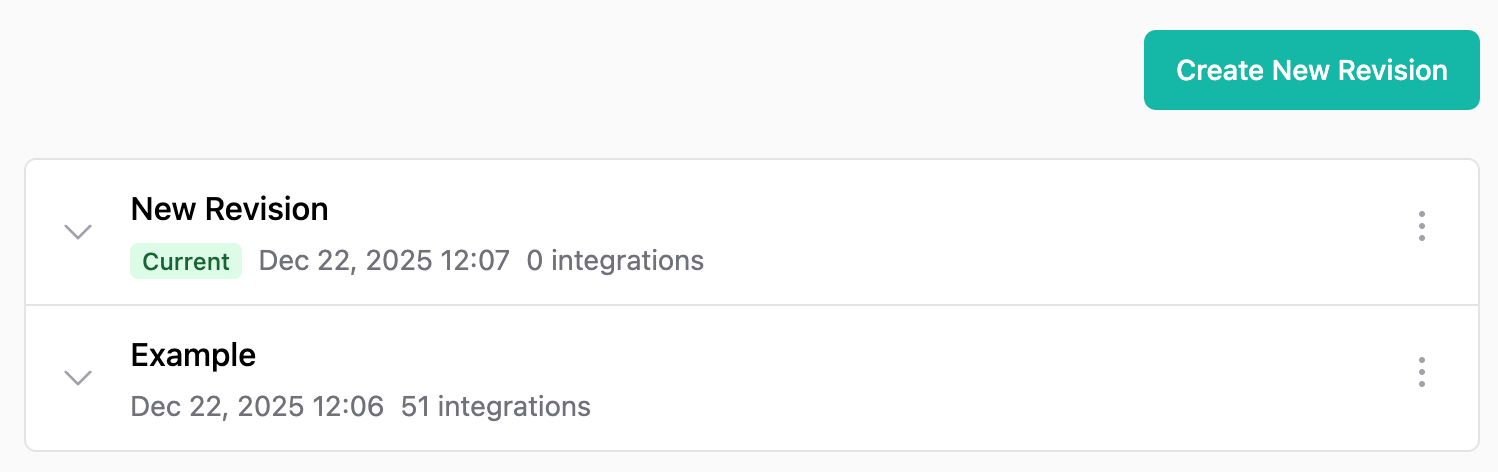
Best Practices
Always test new credential revisions in your development environment before using them in production. This helps you catch common issues like:- Mismatched redirect URLs
- Insufficient OAuth scopes
- Incorrect API endpoints or base URLs
- Invalid authentication tokens