

See KomboAI in action
The examples below are drawn from real support tickets, anonymized. Each shows the question as the customer asked it and the answer KomboAI researched.- Debugging a failed action
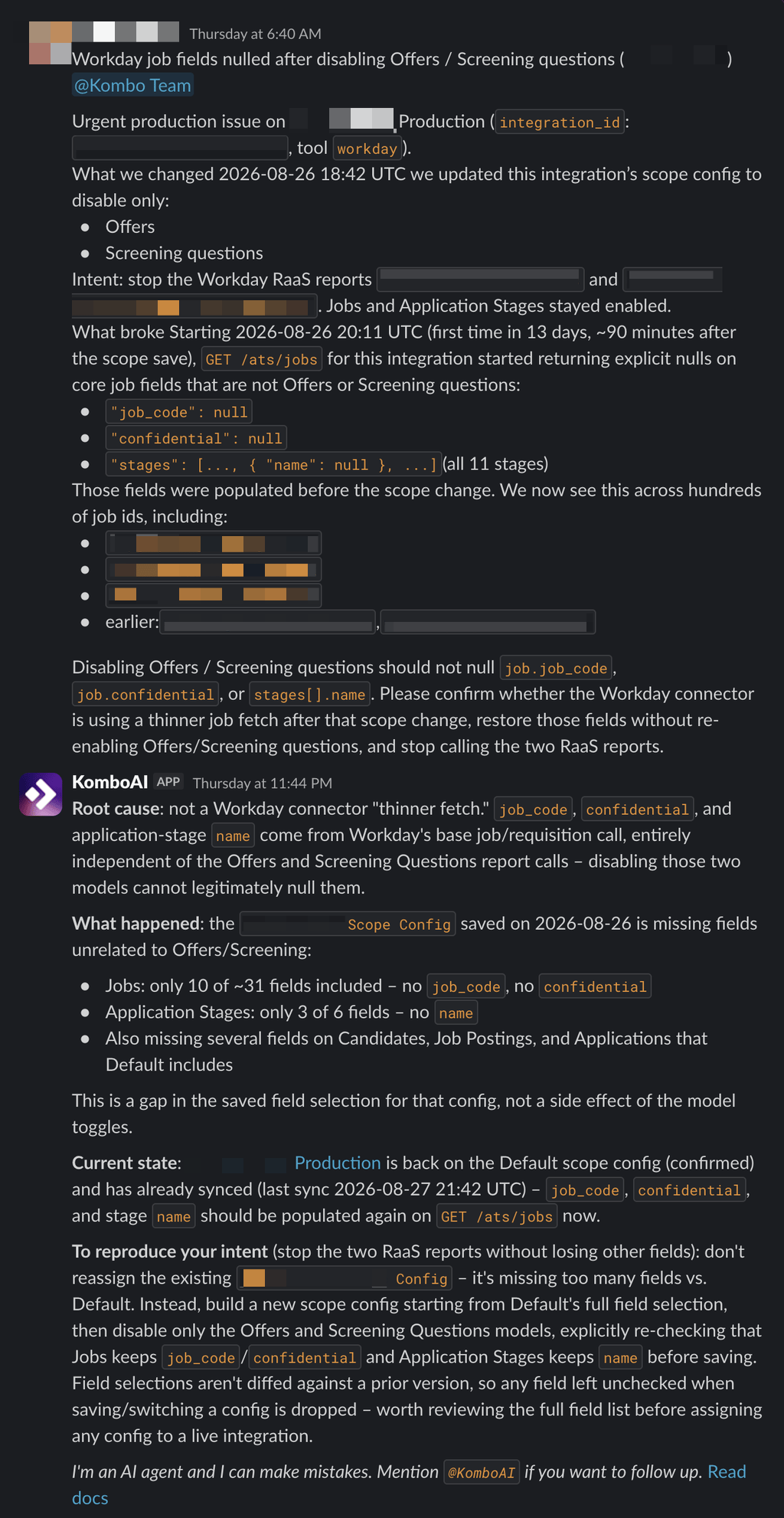
- Auditing a scope change
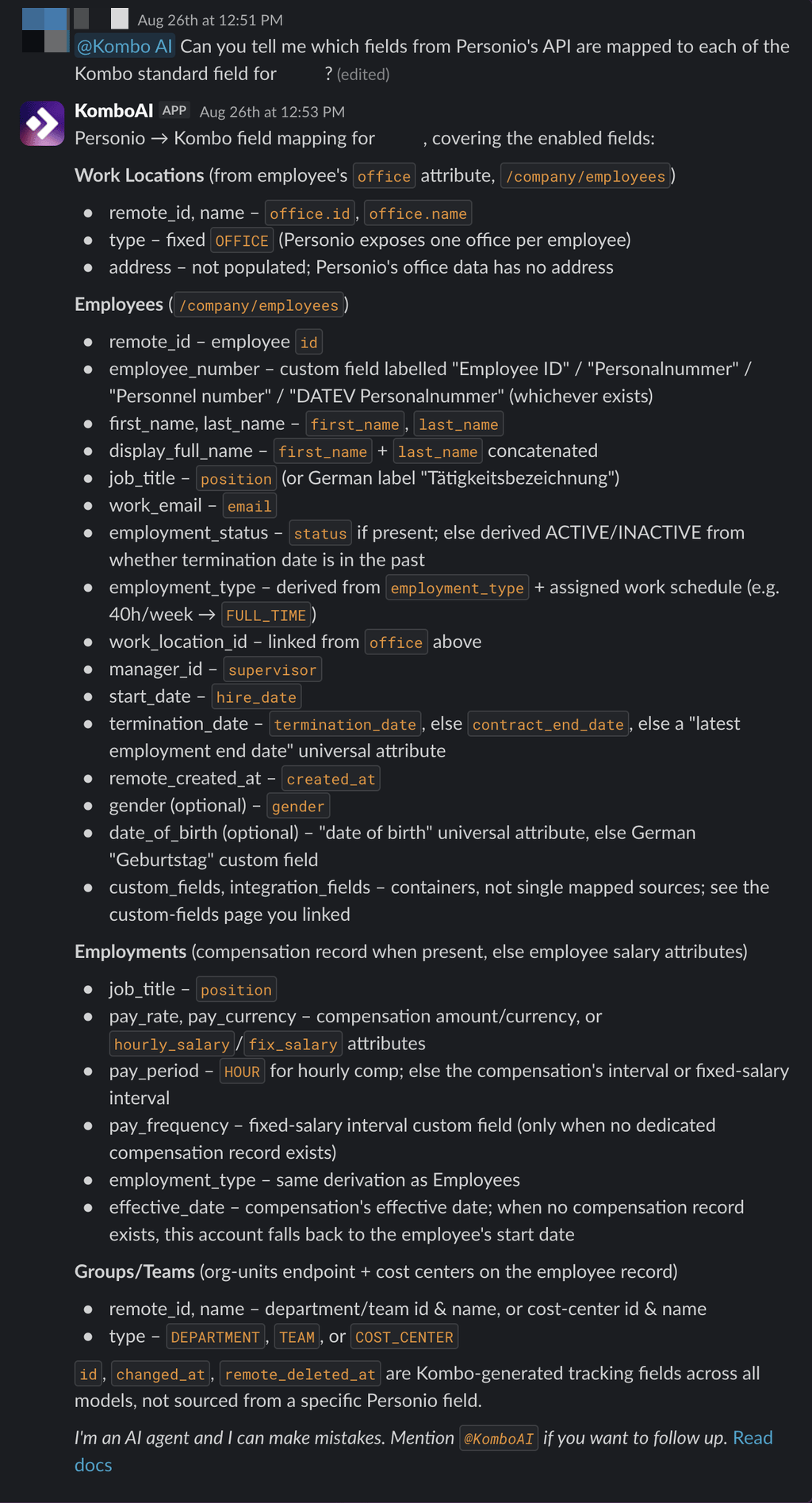
- Mapping provider fields
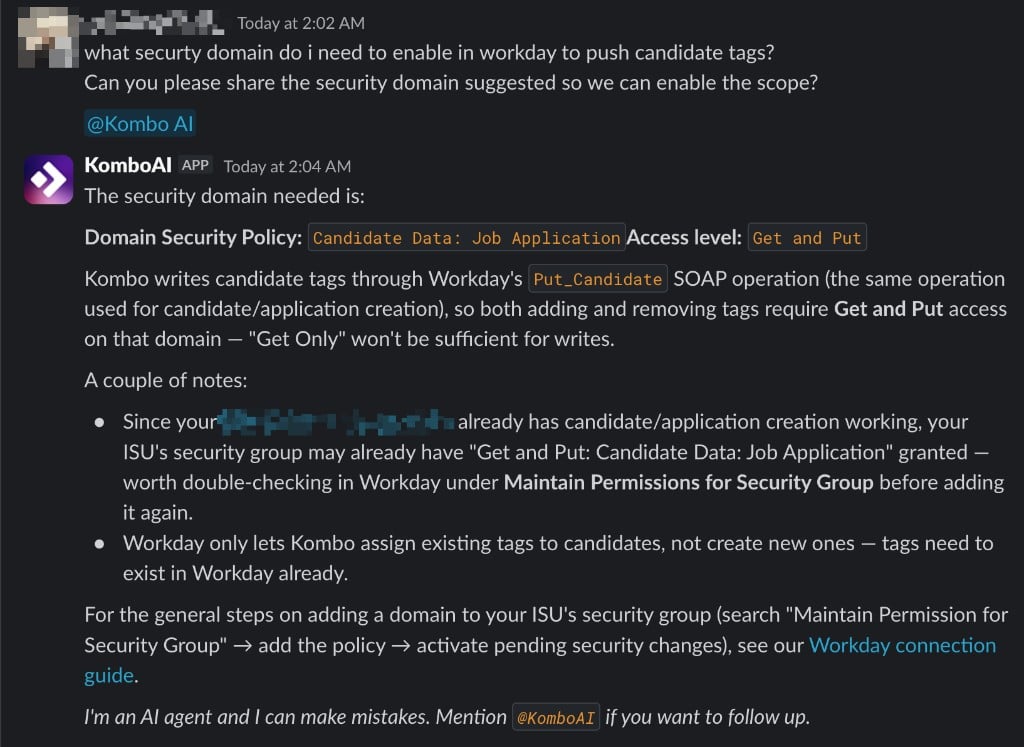
- Provider setup
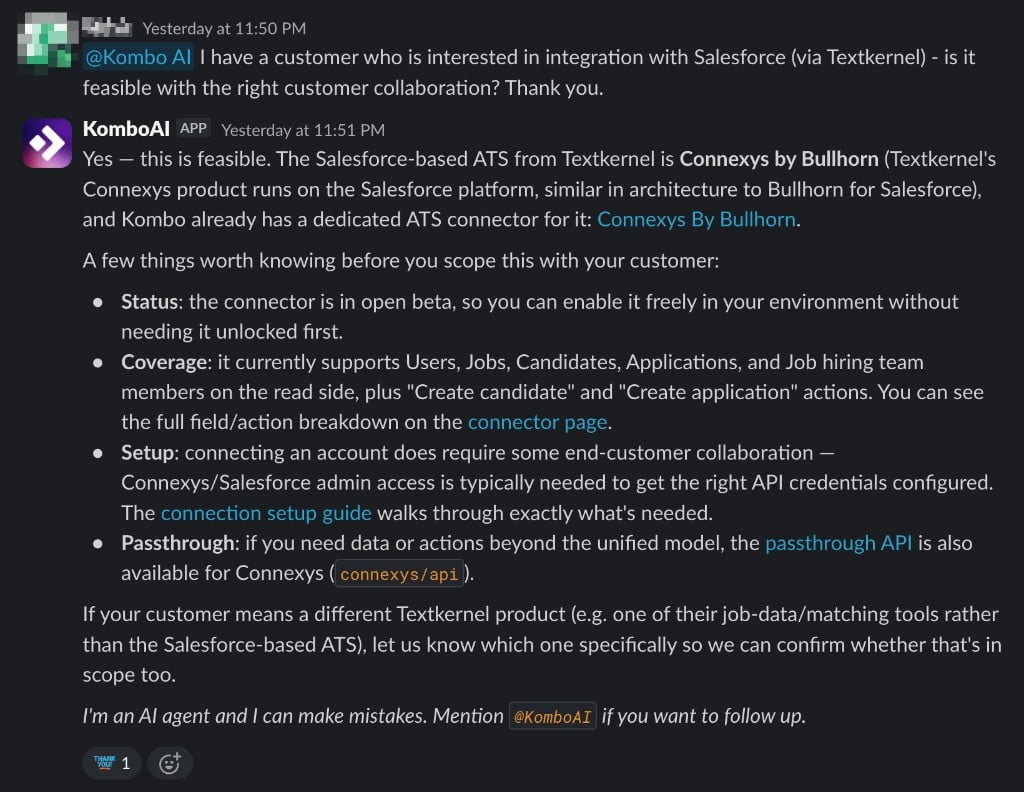
- Connector feasibility
Candidates were not progressing to the next stage in iCIMS, even though
every request appeared to succeed. KomboAI inspected the interaction the
customer linked and found that iCIMS had returned HTTP 200 with a warning
buried in the response body: the target status node was no longer valid in
that iCIMS workflow, so the application was never actually moved. Our team
confirmed the diagnosis and shipped a connector fix that surfaces these
warnings as errors.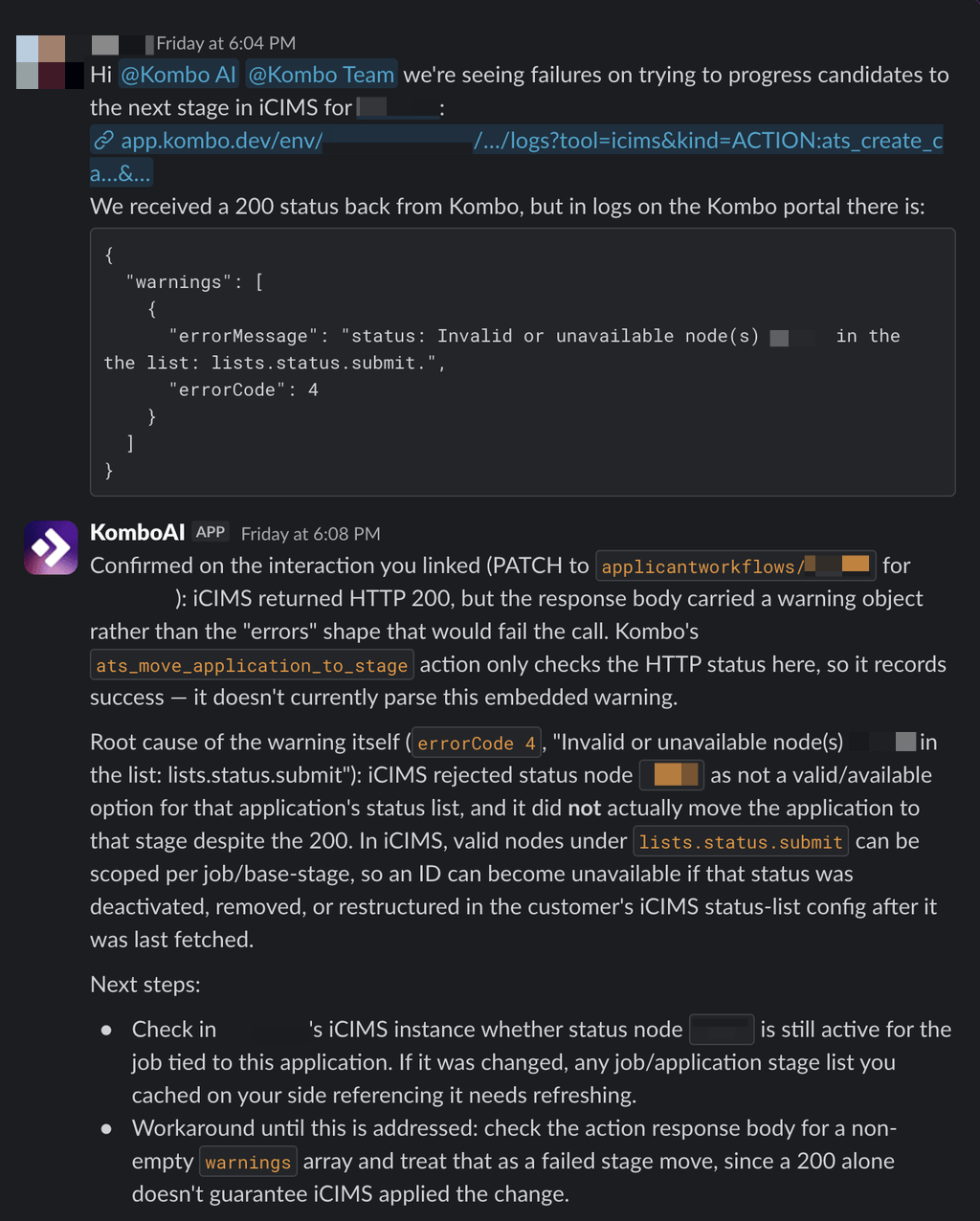
What KomboAI can help with
Assess feasibility
Determine whether a provider supports the data, actions, and workflows your product needs. KomboAI can also explain setup requirements such as permissions, scopes, credentials, certificates, sandbox access, and provider partnerships.Explain provider behavior
Understand provider-specific APIs, permissions, field mappings, IDs, filters, normalization, sync behavior, and known limitations. KomboAI researches official provider API documentation alongside Kombo’s connector implementation, so answers reflect how the provider actually behaves rather than how it is commonly assumed to.Troubleshoot account-specific issues
Investigate linked accounts, recent syncs, and failed actions. KomboAI can walk the chronological request and log evidence behind a specific sync, action, or API call, quote the exact failing request and response, and check whether Kombo has already diagnosed an issue on the affected integration.Resolve setup and connection issues
Review your scope configurations field by field and your settings, including which values are inherited from your defaults and which are overridden per integration. KomboAI can also inspect connection flows that have not produced a working integration yet, which makes it useful while an end customer is still connecting.Map fields between systems
Work out how provider fields translate to Kombo’s unified model and back, from standard mappings and fallback logic to custom fields and localized field labels. KomboAI loads specialized field-mapping expertise when a question calls for it.Use KomboAI
KomboAI must be enabled for your account by Kombo support. Ask our team in
your shared support channel to activate it.
@KomboAI in a message to ask a question or follow up on
an answer. Some support channels are configured for proactive responses, where
KomboAI considers new messages and responds when it can usefully contribute.
For the most useful answer, include the provider or linked account, what you
expected, what happened instead, and any relevant error or screenshot. For a
specific sync, API request, webhook, or action, provide a link to the
relevant page in the Kombo Dashboard so KomboAI can inspect it directly.
If you send several messages in quick succession, KomboAI picks them up in a
single investigation and replies once, so you can add details as you find them.