

Overview
AI Apply is asynchronous by design. Parsing a job posting and submitting an application both run in the background. AI Apply provides two webhooks so that you do not need to poll for results:- The data-changed webhook notifies you that job postings in your environment changed. Fetch the changes with the
updated_afterfilter to keep postings and application forms current. - The application updated webhook reports the outcome of a single application and includes the application in its payload.
Data-changed webhook
Strategy
Perform one full fetch of your job postings, then fetch only the changes whenever the data-changed webhook arrives. The webhook signals that data changed. Theupdated_after filter limits the response to changes since your previous fetch.
The data-changed webhook
Kombo sendsai-apply-data-changed when one or more job postings in your environment changed in a customer-facing field: availability, archival, URL, job code, career site, or the application form. This includes a posting finishing parsing, a bulk import archiving postings, and a re-parse producing a new application form.
The payload names the changed model, not the changed records. The webhook is a notification, not a data delivery. Fetch the relevant endpoint after receiving it.
changed_models covers job postings only. Application outcomes are not
delivered through this webhook. They are delivered through the application
updated webhook, which includes the application
itself, so no follow-up fetch is required.Configuring the webhook
Create the webhook in the Kombo Dashboard under Configuration, Webhooks. Select the type AI Apply: Data changed, enter a label, and enter the URL Kombo should call.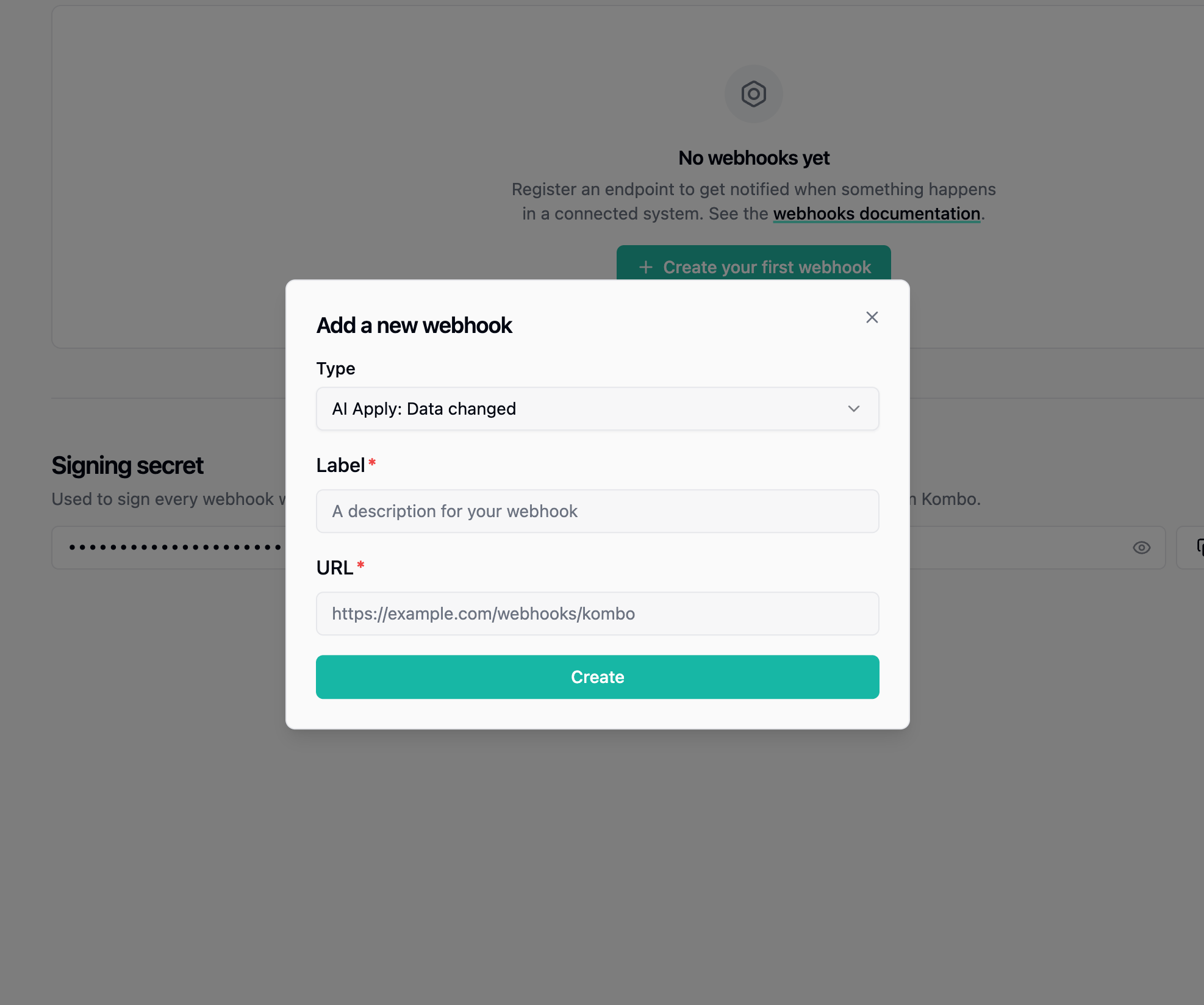
Fetching changes with updated_after
Both job posting endpoints accept anupdated_after query parameter in ISO 8601 format. The response includes every posting whose updated_at is equal to or later than the given timestamp.
Delta fetches are especially important for GET Job Postings Forms. Application forms are large, so the endpoint returns at most five postings per page, and fetching an entire catalogue requires many requests. A delta after a webhook typically fits in one.
Which endpoint to sync depends on how you obtain application forms:
- If you inquire per posting when a candidate applies, sync GET Job Postings. It provides posting metadata and availability without the form.
- If you hold forms locally, sync GET Job Postings Forms. Each changed posting is returned with its current application form and submission token, so a delta fetch also delivers the replacement for any stored form.
Keeping track of the timestamp
Use the start time of your previous fetch as theupdated_after checkpoint, not the latest updated_at value in its results. This is the same method used for the Unified API.
- Record the current UTC time immediately before requesting the first page.
- Follow
nextuntil it isnull, keeping every filter unchanged between pages. - Once every page has succeeded, store the recorded start time as the new checkpoint.
- On the next fetch, pass that checkpoint as
updated_after. - Upsert results by posting
id.
id handles this without additional logic.
Job Posting Updated Webhook
Lifecycle
Payload
The payload matches the job posting schema you receive from the get job posting endpoint. Examples- A job posting was successfully parsed.
- A job posting failed to parse.
- A job posting was taken offline.
Handling job posting availability changes
A job posting’savailability field may switch from being non-applyable to applyable, and vice versa.
As soon as this changes, you should update your UI accordingly.
We recommend either hiding the job from the list of jobs you display to candidates or showing the job URL directly for the candidate to apply on the career site.
Most transitions from being applyable to non-applyable are caused by a job
posting being archived. In rare cases, a job posting’s application form may
change, triggering a re-parse.
Application Updated Webhook
Lifecycle
When can an application be marked as
FAILED?If the candidate input is fundamentally invalid, and Kombo has no chance to
submit the application in the candidate’s name without the candidate providing
more information, the application will be marked as failed. In the future, Kombo
may support flows of following up with the candidate to collect remaining data
in an automated manner.In rare edge cases, when a job is taken offline while an application is
in-flight, the application will also be marked as failed.Payload
The payload follows the application schema you receive from the get application endpoint. Examples- Application is automatically submitted
- Application is submitted after Kombo QA
- Application is marked as failed by Kombo QA (e.g., invalid candidate input)