> ## Documentation Index
> Fetch the complete documentation index at: https://docs.kombo.dev/llms.txt
> Use this file to discover all available pages before exploring further.
# Upstream webhooks
> Kombo can subscribe to webhooks of the systems that your customers connect. We call this feature upstream webhooks. This document explains how they work and how you can leverage them.
Please be aware that this page covers upstream webhooks. These are webhooks
that Kombo receives from the connected ATS/HRIS such as Personio or Recruitee.
If you try to understand webhooks that Kombo sends to your system for new
integrations or finished syncs, check out [this page](./webhooks).
## Concept
Kombo subscribes to webhooks of the systems that your customers connect.
We call this feature upstream webhooks. The goal of this system is to enable you
to receive data in real-time without waiting for a normal sync to complete. Please
note that this is not available for all integrations and depending on the granted
permissions, this might require a re-connect for existing integrations.
When upstream webhooks are successfully enabled and you're subscribed to the data-changed webhook,
Kombo automatically reduces the sync frequency from 3 hours to 24 hours since most updates
are delivered in real-time.
## Availability
Upstream webhooks are available for a limited set of integrations as not all
integrations support them yet. We are actively working on implementing this
feature for more integrations.
This feature is currently available for the following integrations:
You'd like to see this feature for another integration? Please reach out!
We're always happy to discuss extending our coverage.
## Setup
Whether additional setup is required depends on the connected tool. For many
tools, we are able to subscribe to webhooks automatically through the tool's
API. However, some require a one-time manual configuration by the end-customer
via the integration's Setup Flow. Until this step is completed, real-time
updates will not be available, and changes will arrive after the next scheduled
sync instead.
All configured webhook subscriptions (automatic and manual) are shown in an
integration's settings in the Kombo dashboard and can be managed from there.
## End-Customer Experience
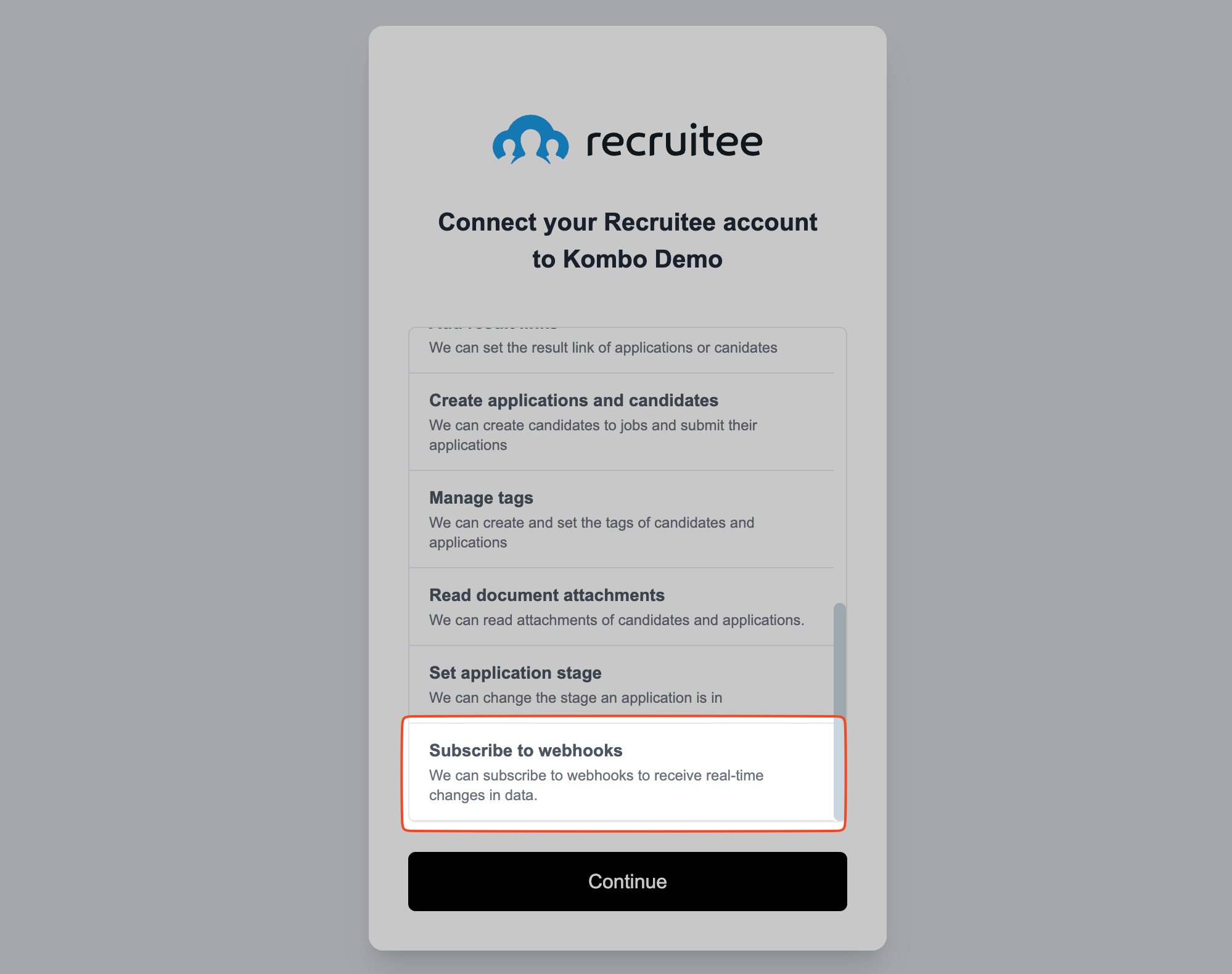
For most integrations, the end-customer only needs to grant a permission to the
credentials to allow us to subscribe to webhooks.
 Kombo will also diligently only subscribe to webhook event types that are compliant
with the scope config. For example, if you disable candidates and only care about jobs, we
will not subscribe to any candidate events.
## Implementation Guide
By using our [Data changed webhook](./webhooks#data-changed), you will automatically receive updates
about changes we receive from upstream webhooks. That is in addition to any
changes from syncs or other sources. Learn more about how to fetch from Kombo in
our [Fetching Data](../getting-started/fetching-data) guide.
Set up the downstream event in the [webhook config](https://app.kombo.dev/configuration/webhooks) in the Kombo dashboard.
```mermaid theme={null}
sequenceDiagram
participant ATS as End customer's ATS/HRIS
participant Kombo as Kombo
participant Customer as Kombo Customer
ATS->>Kombo: Send upstream webhook event
Kombo->>Kombo: Verify event
Kombo-->>ATS: GET related data
Kombo->>Kombo: Update Kombo DB
Kombo->>Customer: Send downstream "data-changed"
Customer->>Customer: Verify event
Customer->>Kombo: GET changes via Kombo API
```
You can usually expect to receive events from the connected system within 10-20 seconds.
Most systems take a few seconds before they send the webhook to Kombo.
Kombo will retry the request to your system for up to 5 times with exponential
backoff.
## Troubleshooting
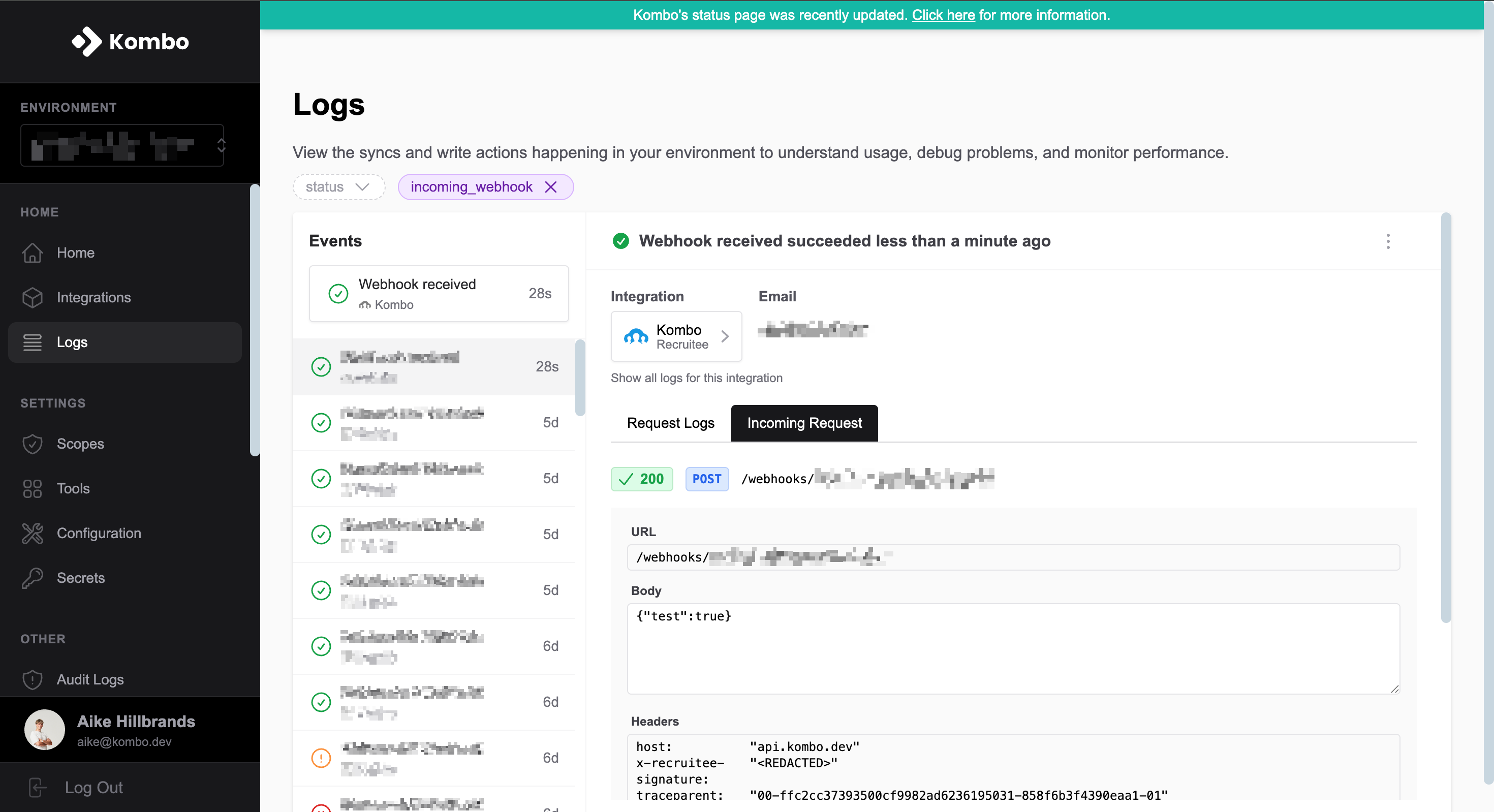
Check out the logs in the Kombo dashboard to see every webhook event that we receive.
The downstream request will also be logged there with any warnings or errors that
we encountered while processing or forwarding the event.
Kombo will also diligently only subscribe to webhook event types that are compliant
with the scope config. For example, if you disable candidates and only care about jobs, we
will not subscribe to any candidate events.
## Implementation Guide
By using our [Data changed webhook](./webhooks#data-changed), you will automatically receive updates
about changes we receive from upstream webhooks. That is in addition to any
changes from syncs or other sources. Learn more about how to fetch from Kombo in
our [Fetching Data](../getting-started/fetching-data) guide.
Set up the downstream event in the [webhook config](https://app.kombo.dev/configuration/webhooks) in the Kombo dashboard.
```mermaid theme={null}
sequenceDiagram
participant ATS as End customer's ATS/HRIS
participant Kombo as Kombo
participant Customer as Kombo Customer
ATS->>Kombo: Send upstream webhook event
Kombo->>Kombo: Verify event
Kombo-->>ATS: GET related data
Kombo->>Kombo: Update Kombo DB
Kombo->>Customer: Send downstream "data-changed"
Customer->>Customer: Verify event
Customer->>Kombo: GET changes via Kombo API
```
You can usually expect to receive events from the connected system within 10-20 seconds.
Most systems take a few seconds before they send the webhook to Kombo.
Kombo will retry the request to your system for up to 5 times with exponential
backoff.
## Troubleshooting
Check out the logs in the Kombo dashboard to see every webhook event that we receive.
The downstream request will also be logged there with any warnings or errors that
we encountered while processing or forwarding the event.