> ## Documentation Index
> Fetch the complete documentation index at: https://docs.kombo.dev/llms.txt
> Use this file to discover all available pages before exploring further.
# Remapping array fields
> Learn how to use the remapping feature to adjust Kombo array fields based on fields in your customer's systems.
## Remapping an array field
Array fields in the Kombo data model can have multiple entries per entity. For example our HRIS employee can have multiple `bank_accounts` and an ATS candidate can have multiple `email_addresses`.
These fields will offer two mapping modes: `Replace` and `Append`
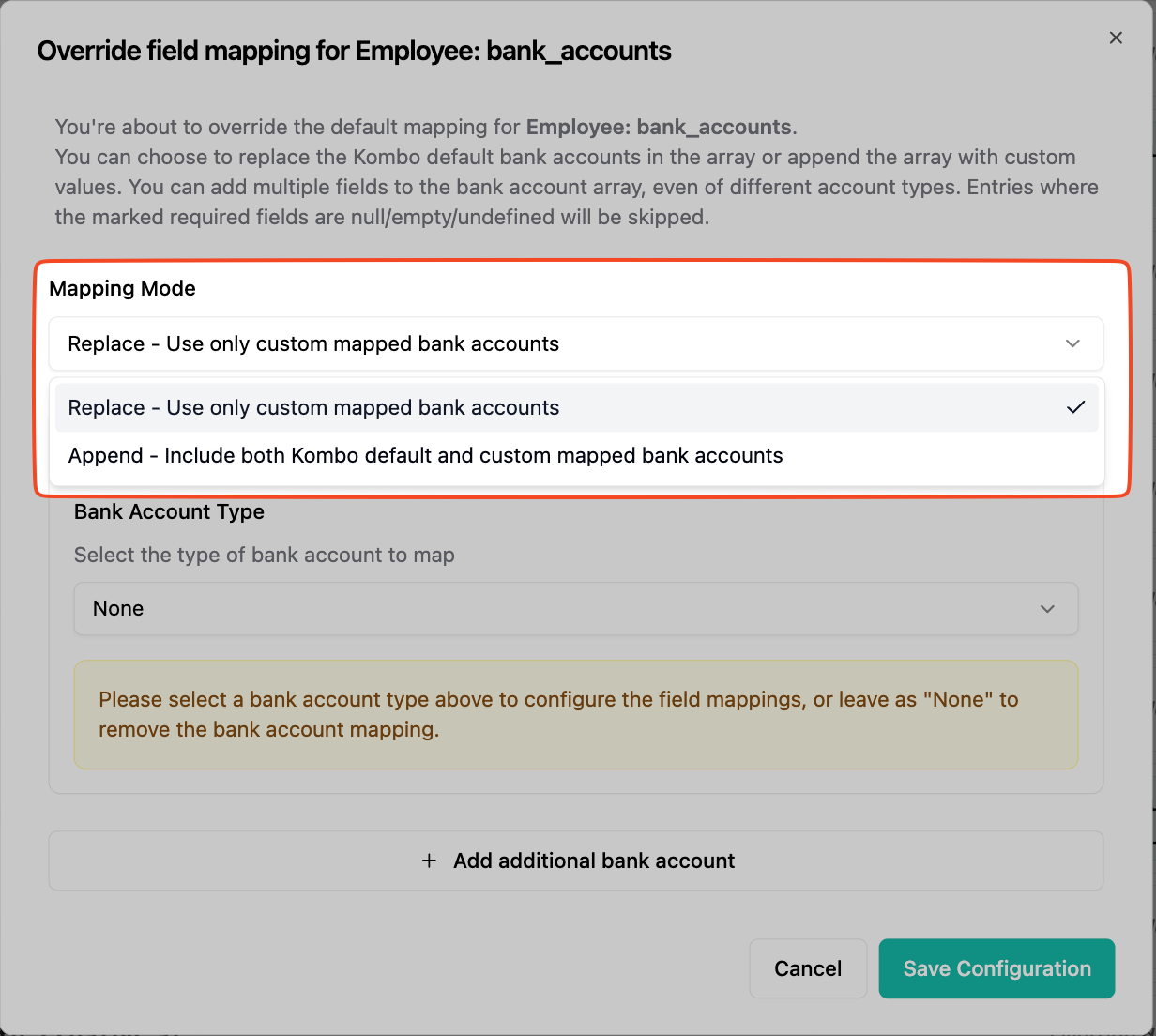 This will decide wether you would like to persist the Kombo default mappings in
the array or replace the array entirely.
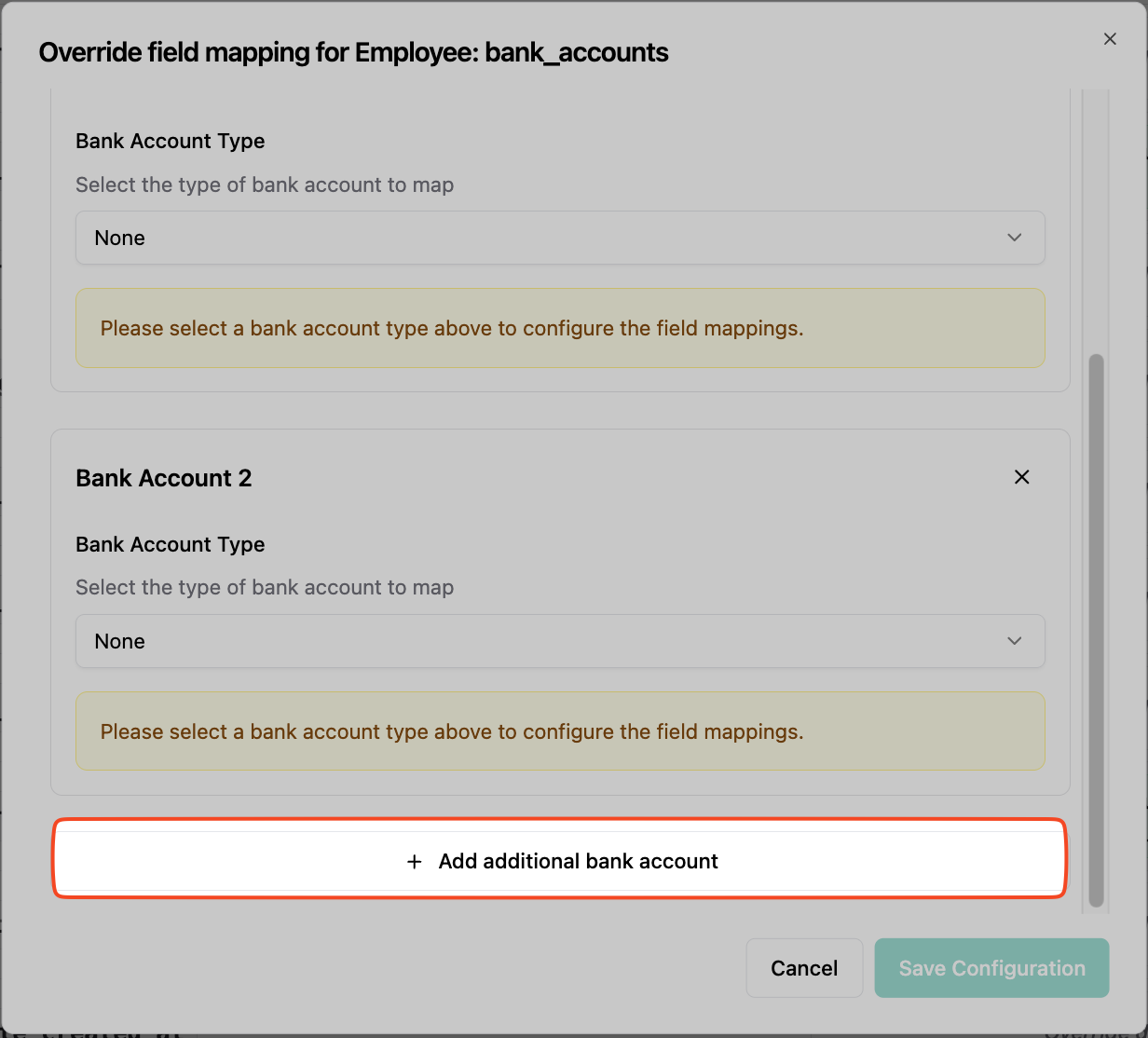
After deciding on the mapping mode you can start adding entries to the array. Please note that all required fields for an entry need to be mapped.
This will decide wether you would like to persist the Kombo default mappings in
the array or replace the array entirely.
After deciding on the mapping mode you can start adding entries to the array. Please note that all required fields for an entry need to be mapped.
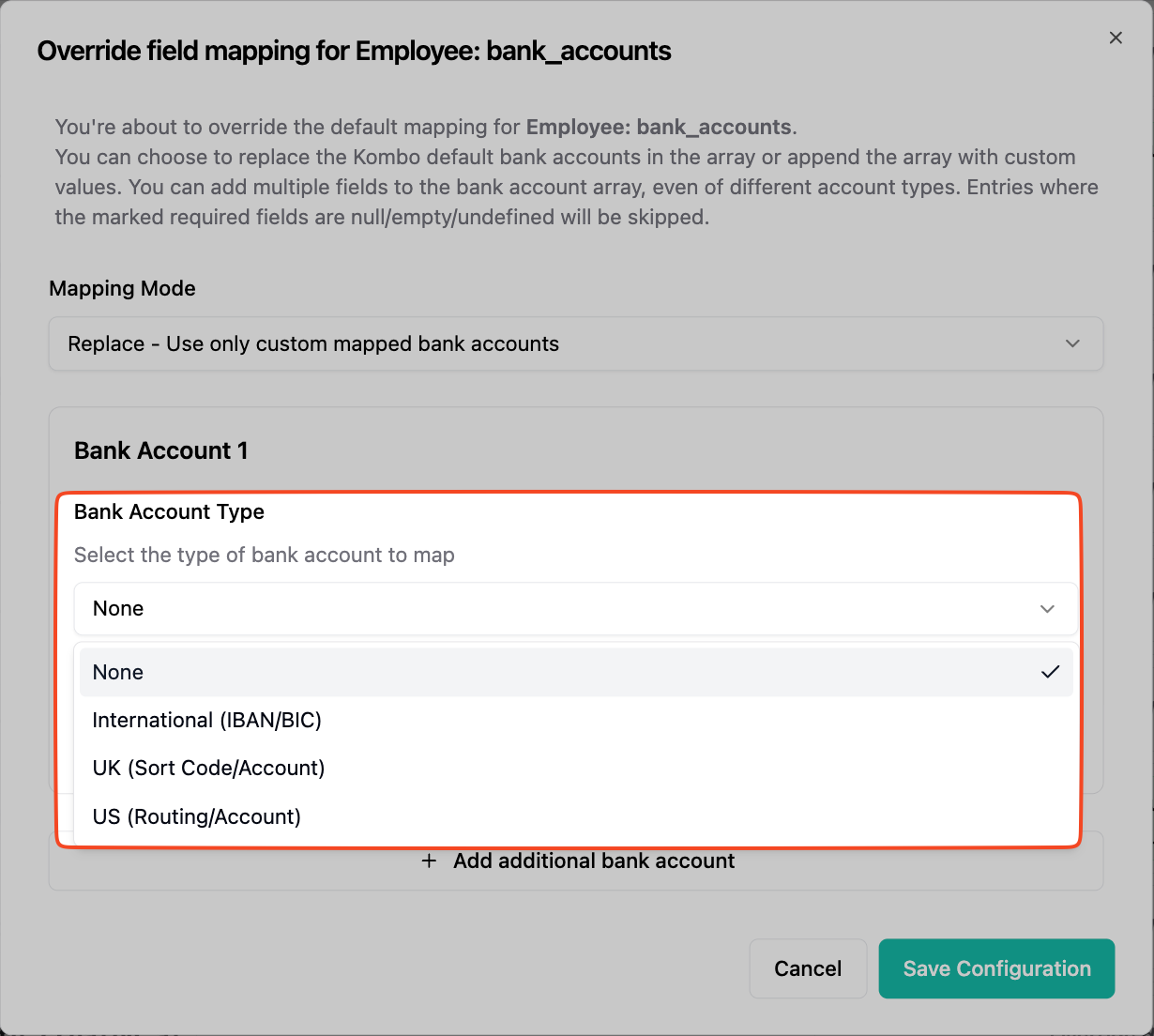
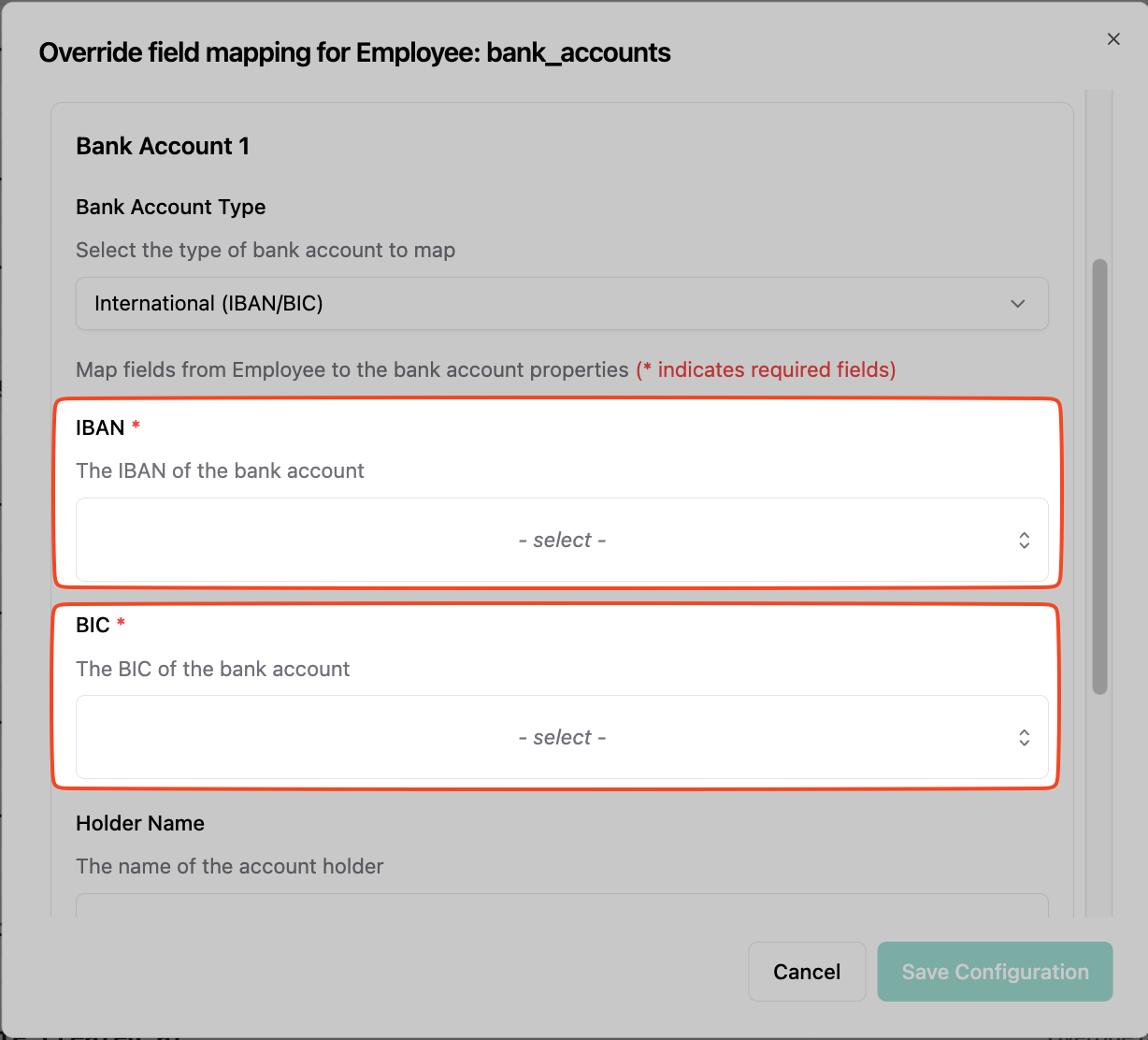 For `bank_accounts` you need to select an account type before the fields show up. You can mix multiple types in the array.
 ## Fallbacks
Fallbacks are not available for these fields. Instead you can add multiple values to the array. If any required field (marked with red asterix) of single entry is missing, the entry will not be added to the array.
## Fallbacks
Fallbacks are not available for these fields. Instead you can add multiple values to the array. If any required field (marked with red asterix) of single entry is missing, the entry will not be added to the array.