> ## Documentation Index
> Fetch the complete documentation index at: https://docs.kombo.dev/llms.txt
> Use this file to discover all available pages before exploring further.
# Building filtering in-house
We highly recommend using [Kombo's filtering UI](./using-the-filtering-ui) to
implement employee filtering. Read why [here](./context).
## Determining the filter
Most of our users go about this by building specific UI components that let your customer choose a set of criteria, like membership of:
* groups (departments, cost centers, teams, etc.)
* legal entities (sub-companies)
* work locations (certain offices, production sites, etc.)
The UI usually includes the following:
* List of all [groups](/hris/v1/get-groups), [legal entities](/hris/v1/get-legal-entities), [work locations](/hris/v1/get-locations), etc. (fetched from the “organization” endpoints) that can be marked as *include* vs *exclude*
* List of all employees that match the current inclusion criteria
* Button to save the current criteria
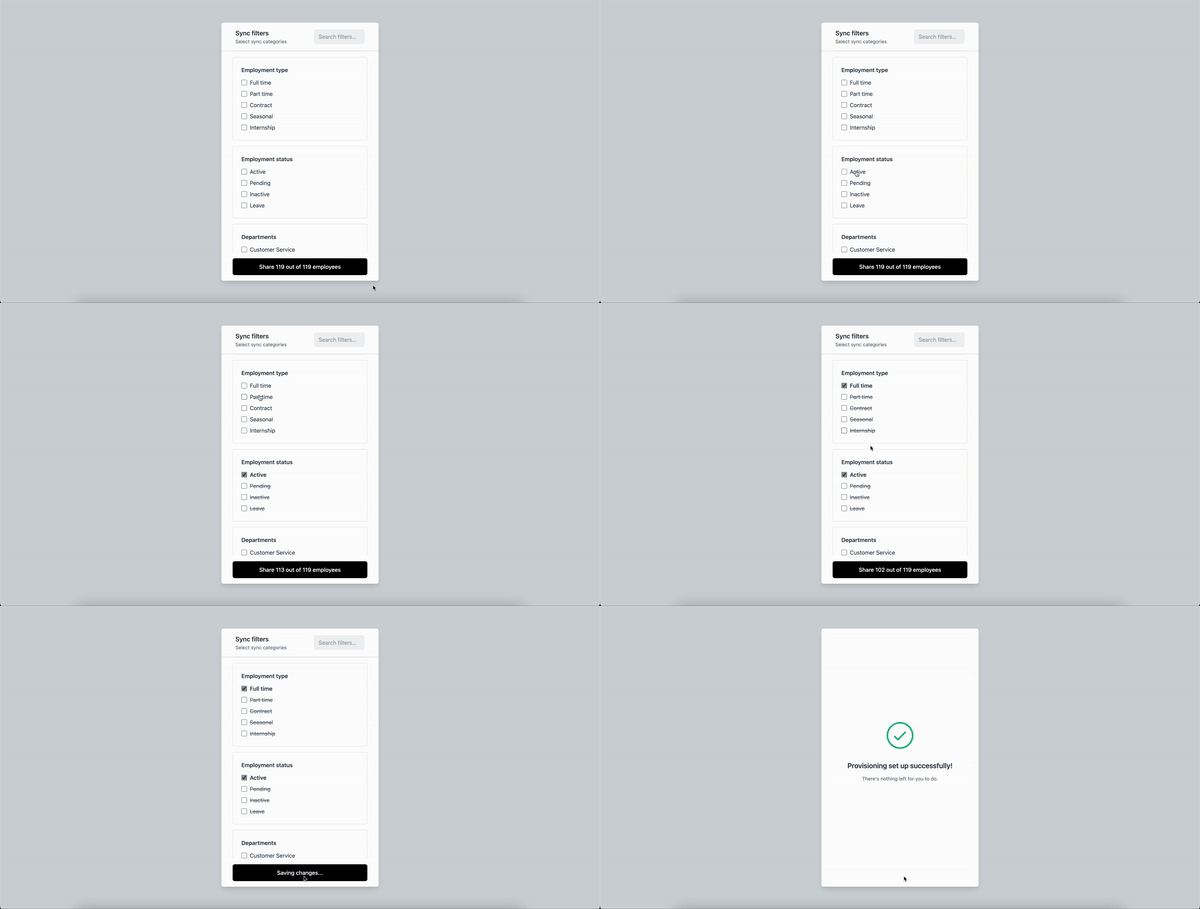
For example, the Kombo filtering UI looks like this:
 ## Setting up filtering for explicit criteria
Once you have the criteria from your customer, you can use them to make filtered requests against Kombo's endpoints. You should be able to filter all relevant things based on the query parameters that are already provided. Therefore you **do not have to read all the data and filter it on your end.**
When combining top-level filters they are working in an **and** fashion, but comma-separated filters are working in an **or** fashion. For example:
The query parameters `?group_ids=123,321&location_ids=abc` could be translated to "give me all employees that are part of either group `123` or `321`, *and* of location `abc`"
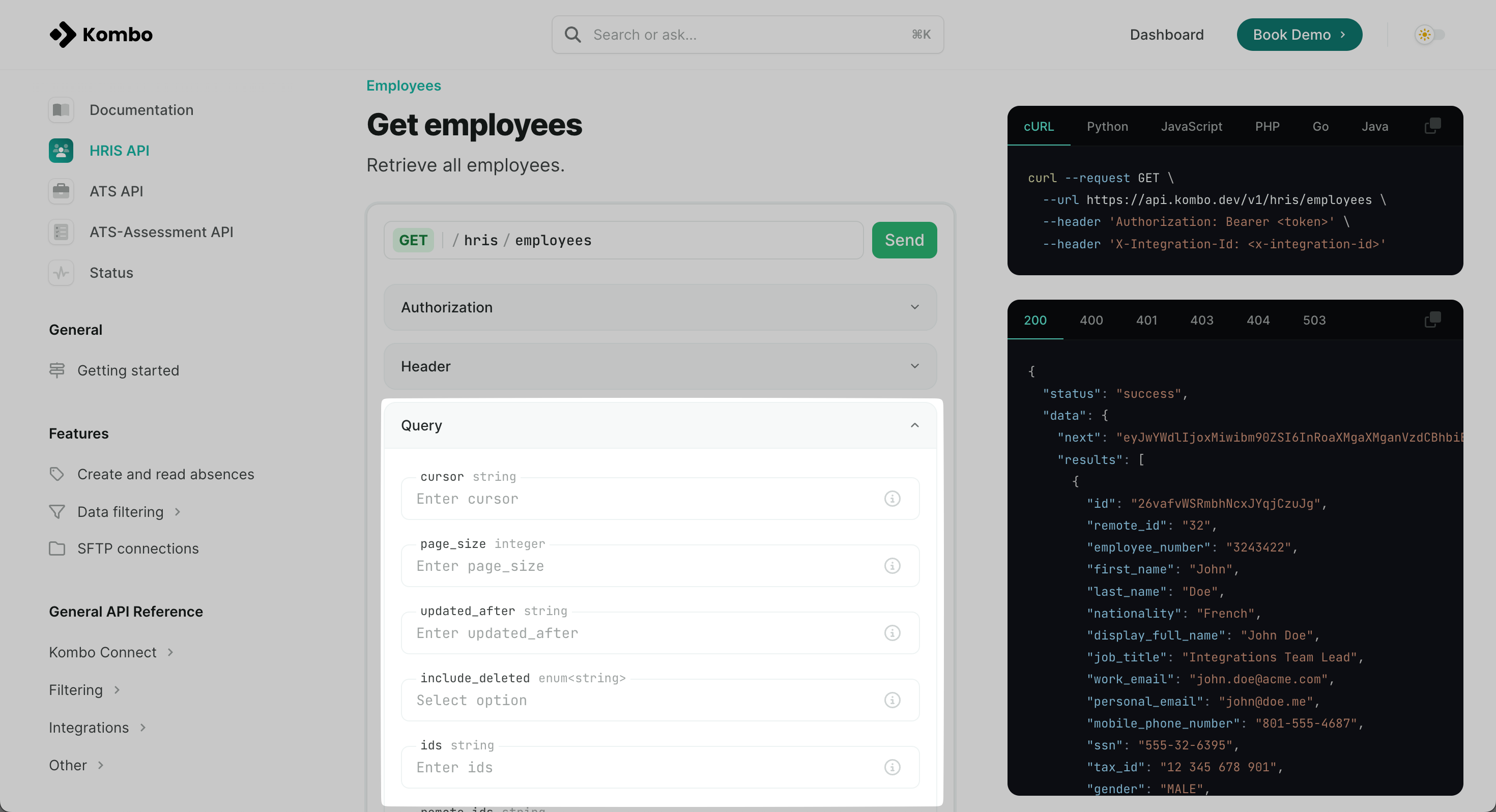
The available query parameters are listed under each endpoint:
## Setting up filtering for explicit criteria
Once you have the criteria from your customer, you can use them to make filtered requests against Kombo's endpoints. You should be able to filter all relevant things based on the query parameters that are already provided. Therefore you **do not have to read all the data and filter it on your end.**
When combining top-level filters they are working in an **and** fashion, but comma-separated filters are working in an **or** fashion. For example:
The query parameters `?group_ids=123,321&location_ids=abc` could be translated to "give me all employees that are part of either group `123` or `321`, *and* of location `abc`"
The available query parameters are listed under each endpoint:
 ## Optional: Make transparent, which users didn’t get access
Some customers decide to include a UI component on the settings page that shows a list of users who were recently off-boarded due to being moved to a new group or their employment expiring.
While this can provide a cleaner UX to your customer, you should be careful with sharing and exposing data of people that are not entitled to your product anymore due to GDPR data minimization.
## Optional: Make transparent, which users didn’t get access
Some customers decide to include a UI component on the settings page that shows a list of users who were recently off-boarded due to being moved to a new group or their employment expiring.
While this can provide a cleaner UX to your customer, you should be careful with sharing and exposing data of people that are not entitled to your product anymore due to GDPR data minimization.