> ## Documentation Index
> Fetch the complete documentation index at: https://docs.kombo.dev/llms.txt
> Use this file to discover all available pages before exploring further.
# Tracking created applications
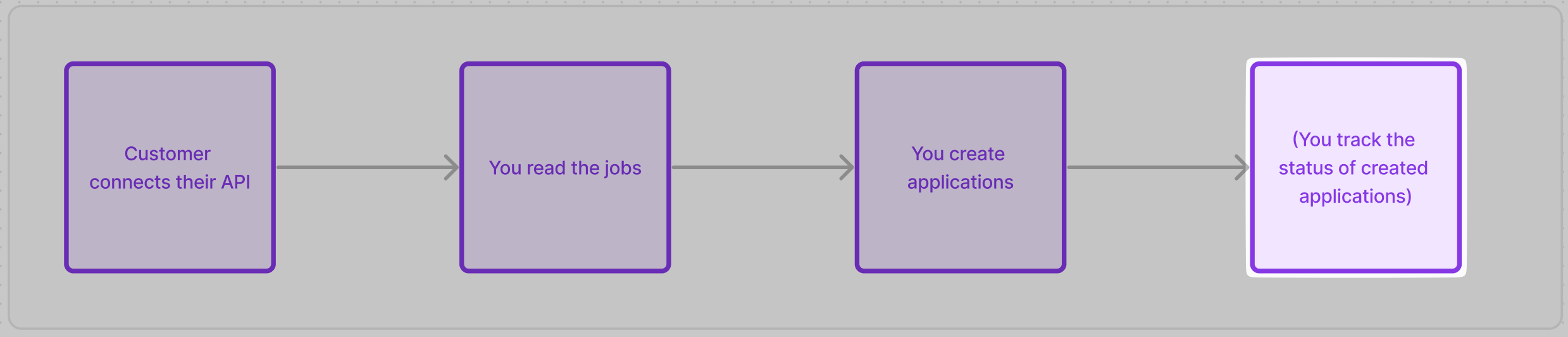 Everything explained about reading data in the “Reading jobs section” also applies to reading applications.
[Go back to “reading Jobs”](reading-jobs)
## Be aware of which applications are tracked
To minimize the amount of sensitive data synced, by default we will only sync and refresh data about applications that were created by you (that is, via's Kombo [Create application endpoint](/ats/v1/post-jobs-job-id-applications)).
🔭 That means, when connecting a new customer, you will initially receive an empty array for the candidates and applications (until you create an application or candidate through the Kombo API).
You can find more info in the [Application tracking](/ats/features/application-status-tracking#syncing-only-created-candidates) feature page.
## Sync mode configuration
Next to syncing only created applications, you can also choose to sync all
applications or an additional model for syncing less candidate and application
data: [Upstream filtering](/ats/features/upstream-filtering).
In upstream filtering, we can filter down the data to only get recent data for a
specific timeframe or cutoff date.
## Hiring signals
To be able to see which of your submitted applications end up getting hired/rejected/etc. we provide you an `outcome` field on each application. The value of this field is calculated by us, based on the specifics of each ATS.
The possible values are `HIRED`, `DECLINED` or `PENDING`
You can also use the `outcomes` query param to filter for only applications of a certain type.
```bash theme={null}
curl --request GET \
--url 'https://api.kombo.dev/v1/ats/applications?outcomes=HIRED%2CDECLINED' \
--header 'Authorization: ' \
--header 'X-Integration-Id: join:HWUTwvyx2wLoSUHphiWVrp28'
```
```json theme={null}
{
"status": "success",
"data": {
"next": "eyJwYWdlIjoxMiwibm90ZSI6InRoaXMgaXMganVzdCBhbiBleGFtcGxlIGFuZCBub3QgcmVwcmVzZW50YXRpdmUgZm9yIGEgcmVhbCBjdXJzb3IhIn0=",
"results": [
{
"id": "26vafvWSRmbhNcxJYqjCzuJg",
"remote_id": "32",
"outcomes": "HIRED",
...
]
}
]
}
}
```
## Application stage changes
If you want to keep track of updates during the application process you can check whether the stage of the application has changed.
First, please note that in many ATS, each job can have a **custom hiring process** (i.e. can have a custom configuration of application stages). You can find the stages for each job on the `stages` property when calling the “Get jobs” endpoint.
```json theme={null}
{
"status": "success",
"data": {
"next": "eyJwYWdlIjoxMiwibm90ZSI6InRoaXMgaXMganVzdCBhbiBleGFtcGxlIGFuZCBub3QgcmVwcmVzZW50YXRpdmUgZm9yIGEgcmVhbCBjdXJzb3IhIn0=",
"results": [
{
"id": "26vafvWSRmbhNcxJYqjCzuJg",
"remote_id": "32",
"name": "Backend Engineer",
...,
"stages": [
{
"id": "3PJ8PZhZZa1eEdd2DtPNtVup",
"remote_id": "32",
"name": "Initial Screening",
"index": 0
},
{
"id": "HWUTwvyx2wLoSUHphiWVrp28",
"remote_id": "38",
"name": "Interview",
"index": 0
},
],
}
]
}
}
```
Then, when you fetch the applications via the “get applications” endpoint, you will get the `current_stage_id` and `current_stage` properties for each application. the `current_stage` is just an expanded version of the `current_stage_id` so you can use either of them.
```json theme={null}
{
"status": "success",
"data": {
"next": "eyJwYWdlIjoxMiwibm90ZSI6InRoaXMgaXMganVzdCBhbiBleGFtcGxlIGFuZCBub3QgcmVwcmVzZW50YXRpdmUgZm9yIGEgcmVhbCBjdXJzb3IhIn0=",
"results": [
{
"id": "26vafvWSRmbhNcxJYqjCzuJg",
"remote_id": "32",
...
"current_stage_id": "5J7L4b48wBfffYwek9Az9pkM",
...
"current_stage": {
"id": "5J7L4b48wBfffYwek9Az9pkM",
"remote_id": "32",
"name": "Initial Screening"
},
}
]
}
}
```
To see whether the stage of an application has changed, you have to implement some tracking logic on your end by calling the “get applications” endpoint with the `updated_after` filter and then comparing the stage of each candidate with the stage you currently have in your system.
## ATS-specific limitations
Some tools don’t support reading applications or hiring outcomes at all due to technical limitations. For best practices on how to handle this, [see this section](/ats/implementation-guide/creating-applications#handle-ats-specific-limitations).
Everything explained about reading data in the “Reading jobs section” also applies to reading applications.
[Go back to “reading Jobs”](reading-jobs)
## Be aware of which applications are tracked
To minimize the amount of sensitive data synced, by default we will only sync and refresh data about applications that were created by you (that is, via's Kombo [Create application endpoint](/ats/v1/post-jobs-job-id-applications)).
🔭 That means, when connecting a new customer, you will initially receive an empty array for the candidates and applications (until you create an application or candidate through the Kombo API).
You can find more info in the [Application tracking](/ats/features/application-status-tracking#syncing-only-created-candidates) feature page.
## Sync mode configuration
Next to syncing only created applications, you can also choose to sync all
applications or an additional model for syncing less candidate and application
data: [Upstream filtering](/ats/features/upstream-filtering).
In upstream filtering, we can filter down the data to only get recent data for a
specific timeframe or cutoff date.
## Hiring signals
To be able to see which of your submitted applications end up getting hired/rejected/etc. we provide you an `outcome` field on each application. The value of this field is calculated by us, based on the specifics of each ATS.
The possible values are `HIRED`, `DECLINED` or `PENDING`
You can also use the `outcomes` query param to filter for only applications of a certain type.
```bash theme={null}
curl --request GET \
--url 'https://api.kombo.dev/v1/ats/applications?outcomes=HIRED%2CDECLINED' \
--header 'Authorization: ' \
--header 'X-Integration-Id: join:HWUTwvyx2wLoSUHphiWVrp28'
```
```json theme={null}
{
"status": "success",
"data": {
"next": "eyJwYWdlIjoxMiwibm90ZSI6InRoaXMgaXMganVzdCBhbiBleGFtcGxlIGFuZCBub3QgcmVwcmVzZW50YXRpdmUgZm9yIGEgcmVhbCBjdXJzb3IhIn0=",
"results": [
{
"id": "26vafvWSRmbhNcxJYqjCzuJg",
"remote_id": "32",
"outcomes": "HIRED",
...
]
}
]
}
}
```
## Application stage changes
If you want to keep track of updates during the application process you can check whether the stage of the application has changed.
First, please note that in many ATS, each job can have a **custom hiring process** (i.e. can have a custom configuration of application stages). You can find the stages for each job on the `stages` property when calling the “Get jobs” endpoint.
```json theme={null}
{
"status": "success",
"data": {
"next": "eyJwYWdlIjoxMiwibm90ZSI6InRoaXMgaXMganVzdCBhbiBleGFtcGxlIGFuZCBub3QgcmVwcmVzZW50YXRpdmUgZm9yIGEgcmVhbCBjdXJzb3IhIn0=",
"results": [
{
"id": "26vafvWSRmbhNcxJYqjCzuJg",
"remote_id": "32",
"name": "Backend Engineer",
...,
"stages": [
{
"id": "3PJ8PZhZZa1eEdd2DtPNtVup",
"remote_id": "32",
"name": "Initial Screening",
"index": 0
},
{
"id": "HWUTwvyx2wLoSUHphiWVrp28",
"remote_id": "38",
"name": "Interview",
"index": 0
},
],
}
]
}
}
```
Then, when you fetch the applications via the “get applications” endpoint, you will get the `current_stage_id` and `current_stage` properties for each application. the `current_stage` is just an expanded version of the `current_stage_id` so you can use either of them.
```json theme={null}
{
"status": "success",
"data": {
"next": "eyJwYWdlIjoxMiwibm90ZSI6InRoaXMgaXMganVzdCBhbiBleGFtcGxlIGFuZCBub3QgcmVwcmVzZW50YXRpdmUgZm9yIGEgcmVhbCBjdXJzb3IhIn0=",
"results": [
{
"id": "26vafvWSRmbhNcxJYqjCzuJg",
"remote_id": "32",
...
"current_stage_id": "5J7L4b48wBfffYwek9Az9pkM",
...
"current_stage": {
"id": "5J7L4b48wBfffYwek9Az9pkM",
"remote_id": "32",
"name": "Initial Screening"
},
}
]
}
}
```
To see whether the stage of an application has changed, you have to implement some tracking logic on your end by calling the “get applications” endpoint with the `updated_after` filter and then comparing the stage of each candidate with the stage you currently have in your system.
## ATS-specific limitations
Some tools don’t support reading applications or hiring outcomes at all due to technical limitations. For best practices on how to handle this, [see this section](/ats/implementation-guide/creating-applications#handle-ats-specific-limitations).