> ## Documentation Index
> Fetch the complete documentation index at: https://docs.kombo.dev/llms.txt
> Use this file to discover all available pages before exploring further.
# Reconnecting an integration
> This document explains why and how to reconnect an integration.
## When to reconnect an integration
### Authentication issues
Sometimes customers change integration authentication details, API keys expire,
or other integration setup details are changed and Kombo can no longer
authenticate with an integration that was previously connected.
After three consecutive days of failing authentication (which we check before every
sync), Kombo will pause scheduling syncs and will prompt you to reconnect the
integration.
#### How to Identify Authentication Issues
Authentication issues can be identified in two ways: programmatically (recommended) or operationally via the Kombo dashboard.
1. **Programmatically:**
Use the [Integration State Changed webhook](../../guides/webhooks#integration-state-changed). This webhook allows you to monitor changes in the `state` value, helping you quickly detect authentication-related issues.
2. **Operationally:**
Navigate to the [Integration page in the Kombo dashboard](https://app.kombo.dev/integrations) to review the current state information for a specific integration.
By leveraging these approaches, you can promptly diagnose and address authentication challenges.
### Changes in data scope
If you want to update which data you're interacting with in your customer's HR
systems, you will likely need to update your [Kombo scope config](../../features/scopes).
Updating your scope config in Kombo will usually go hand in hand with your
customer having to update their API credentials. Therefore, expanding your scope
config will likely end up with syncs showing warnings that not all permissions
are granted to the API credentials.
Syncs failing due to scope-mismatches can be avoided by using reconnection
links, as described [below](#a-note-on-updating-the-scope-config).
## Methods of reconnecting
### Use the dashboard to create an update link
In the [Kombo dashboard](https://app.kombo.dev), navigate to any integration
that you want to reconnect. Scroll down to the **Relink integration** section to
create an update link.
You can send this link to your customer to update the credentials of the
integration. Once they have reconnected successfully, syncs will run using the
newly entered credentials.
 ### Use the API to create a reconnection link
You can also create a reconnection link using the [create reconnection link endpoint](../../v1/post-integrations-integration-id-relink).
Specify the `link_type` for it to be used either in the [embedded flow](../connect/embedded-flow),
or sent out as a [magic link](../connect/magic-links).
## A note on updating the scope config
You are able to define the scope config of a reconnection link both in the UI
and using the API.
### Use the API to create a reconnection link
You can also create a reconnection link using the [create reconnection link endpoint](../../v1/post-integrations-integration-id-relink).
Specify the `link_type` for it to be used either in the [embedded flow](../connect/embedded-flow),
or sent out as a [magic link](../connect/magic-links).
## A note on updating the scope config
You are able to define the scope config of a reconnection link both in the UI
and using the API.
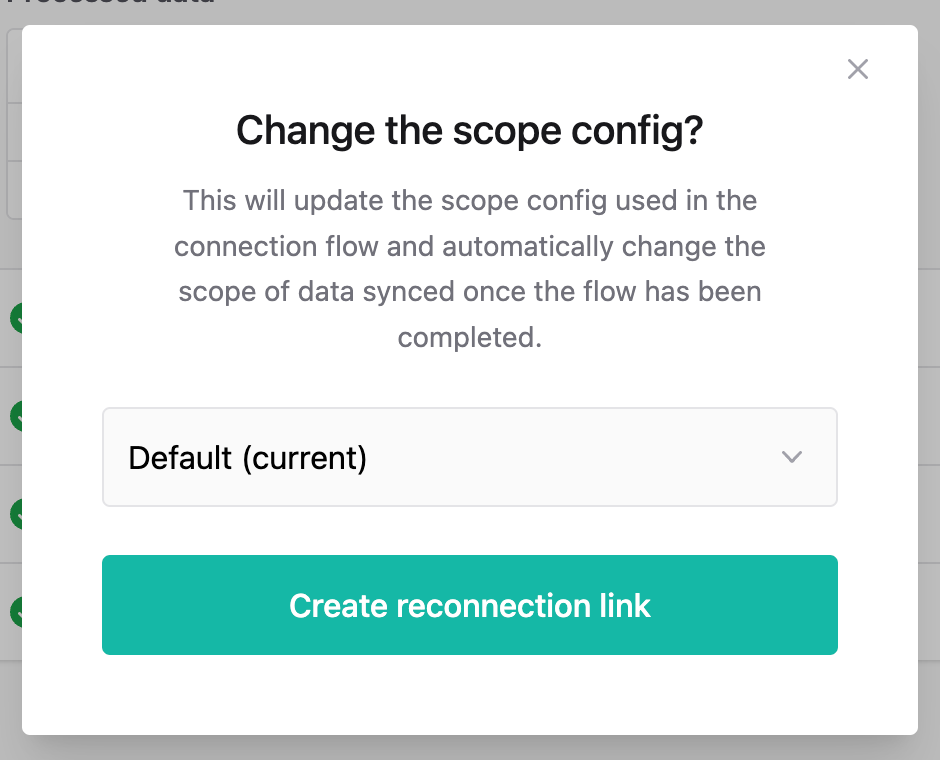 Setting a different scope config than the current integration's scope config
results in the following:
* Your customer will see the updated scope config in the connection flow (i.e.,
they will have to create credentials with the newly desired permissions)
* On connection flow completion, the scope config of the integration will
automatically be updated to reflect the new scope config
Use this functionality to smoothly migrate your customers to a new scope config,
without running into any sync issues. While the reconnection link has not been
completed, syncs will continue successfully working using the old scope config;
the new scope config will only be used once the reconnection link has been
completed.
Setting a different scope config than the current integration's scope config
results in the following:
* Your customer will see the updated scope config in the connection flow (i.e.,
they will have to create credentials with the newly desired permissions)
* On connection flow completion, the scope config of the integration will
automatically be updated to reflect the new scope config
Use this functionality to smoothly migrate your customers to a new scope config,
without running into any sync issues. While the reconnection link has not been
completed, syncs will continue successfully working using the old scope config;
the new scope config will only be used once the reconnection link has been
completed.